
What happened with the network off
| Task | Little Shrine 1.4.4 (23) | Bodhi Timer 6.3.0 (98) |
|---|---|---|
| Open after installation | The first screen displayed Buddha beneath the Bodhi tree and offered local prayer without sign-in. | The timer opened with controls for setting a duration. |
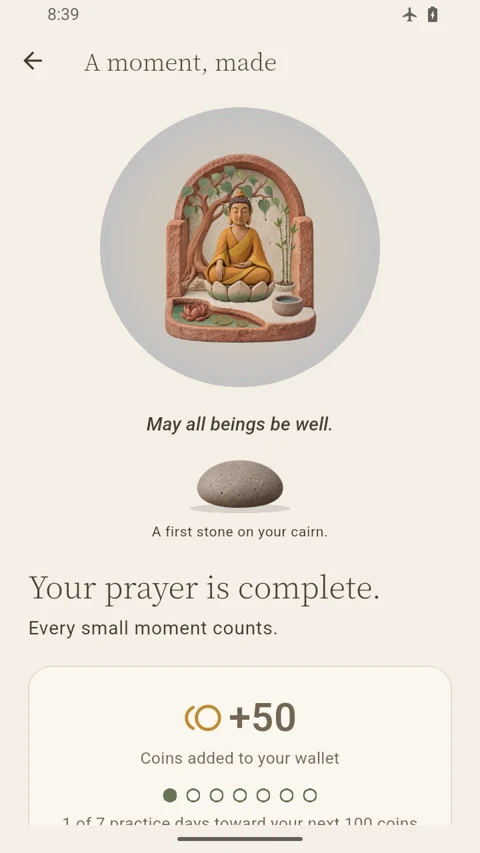
| Begin a practice | We accepted the terms on a local test profile, chose Buddha, held the prayer control for six seconds and tapped Bow. The app confirmed completion and added 50 coins. | We selected one minute. Android showed its alarms-and-reminders permission screen. The countdown ran. |
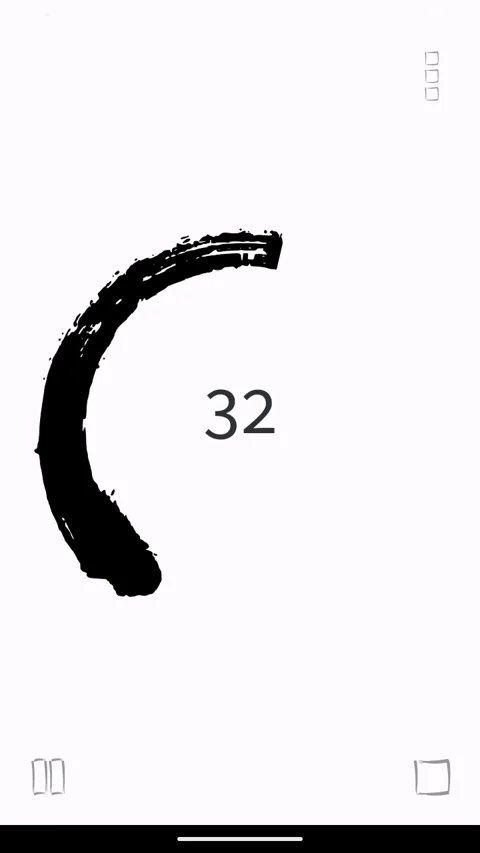
| Close and reopen offline | After a force-stop and relaunch, the Buddha courtyard still showed “Prayed today,” one practice day and the same 250-coin balance. | After a force-stop and relaunch, the timer showed 48 seconds left. A later reading showed 39 seconds. |
Which would we take on a trip?
For a timed sit with no signal, we would take Bodhi Timer. We saw the remaining time survive a restart. If hearing a bell with the screen locked matters to you, check the alarm permission and listen through a full session on your own phone. Our test established the visible countdown only. Bodhi Timer, releases and developer information
For a short prayer with a Buddha image, we would take Little Shrine. We make the app and tested its free local flow without signing in. The completion screen and the saved practice day were both visible with airplane mode on and Wi-Fi off. How to set up the Buddha courtyard
Repeat the test before you travel
- Install your chosen app while you have a connection. For guided audio, download the individual track you intend to use.
- Turn on airplane mode and check Wi-Fi is off. Open the app from its icon.
- Start the exact practice you intend to use. Close the app and reopen it. Check what survived, then test the ending sound separately.
We installed Little Shrine from our archived release bundle and Bodhi Timer from F-Droid on the same emulator. Both were first opened with the network off. Purchases, account sync, physical-device power saving and audio delivery were outside this comparison. Compare five apps by practice and features.